What's New in Discs 1.5
Discs 1.5 is out. It has a new big-screen layout for tablets and Chromebooks, syncs music to and from your other devices, and is easier to browse. Here’s what’s new.
A layout built for tablets and Chromebooks
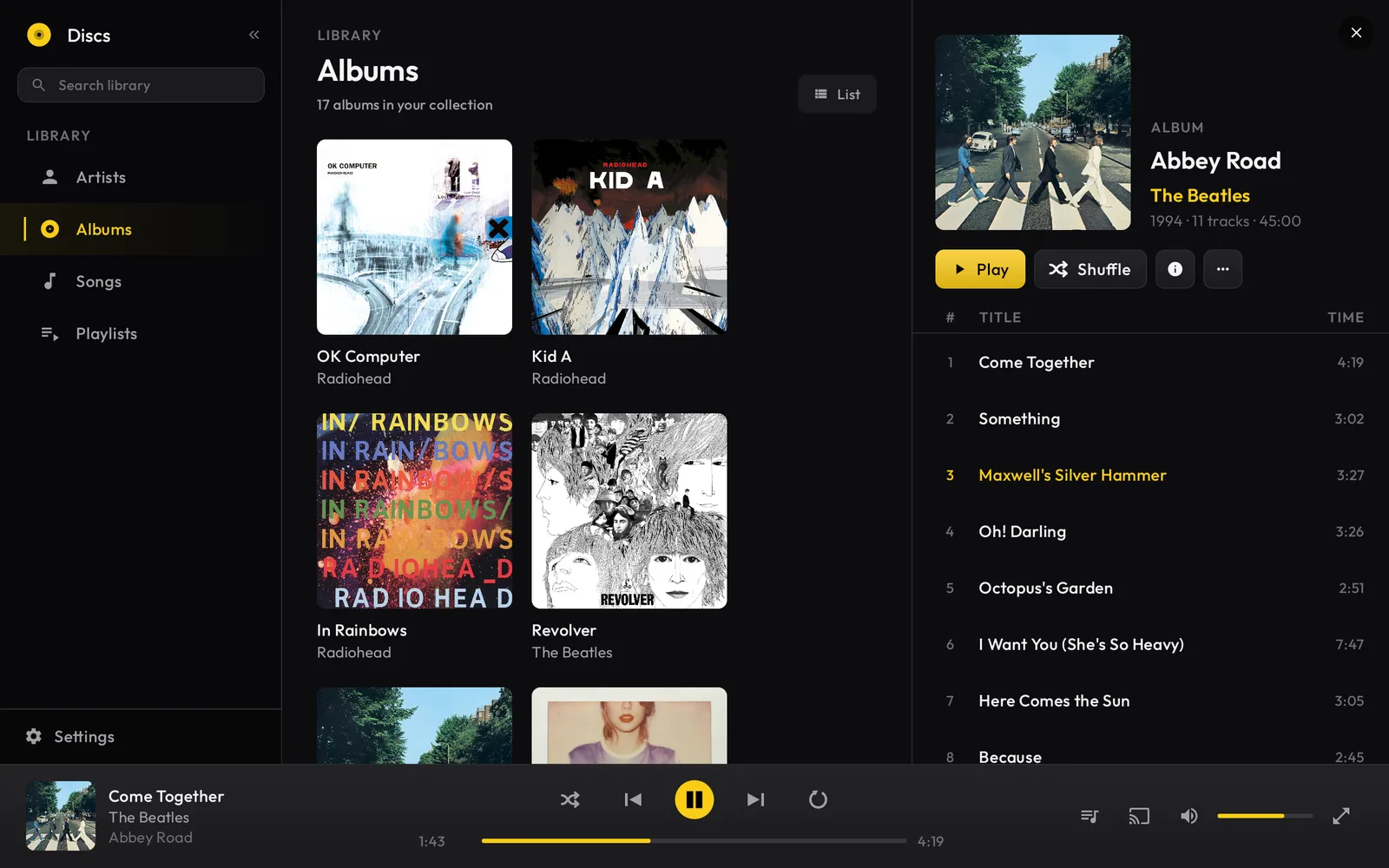
On a tablet or a Chromebook, Discs now shows your library and what you’re playing side by side. Pick an album on the left and its tracks open on the right, without collapsing the library or sending you to a separate screen.
It’s the same app on your phone, in a layout that fits a smaller screen. Install Discs on your phone and your tablet, and each one adapts to the screen it’s on.
Sync music to and from your devices
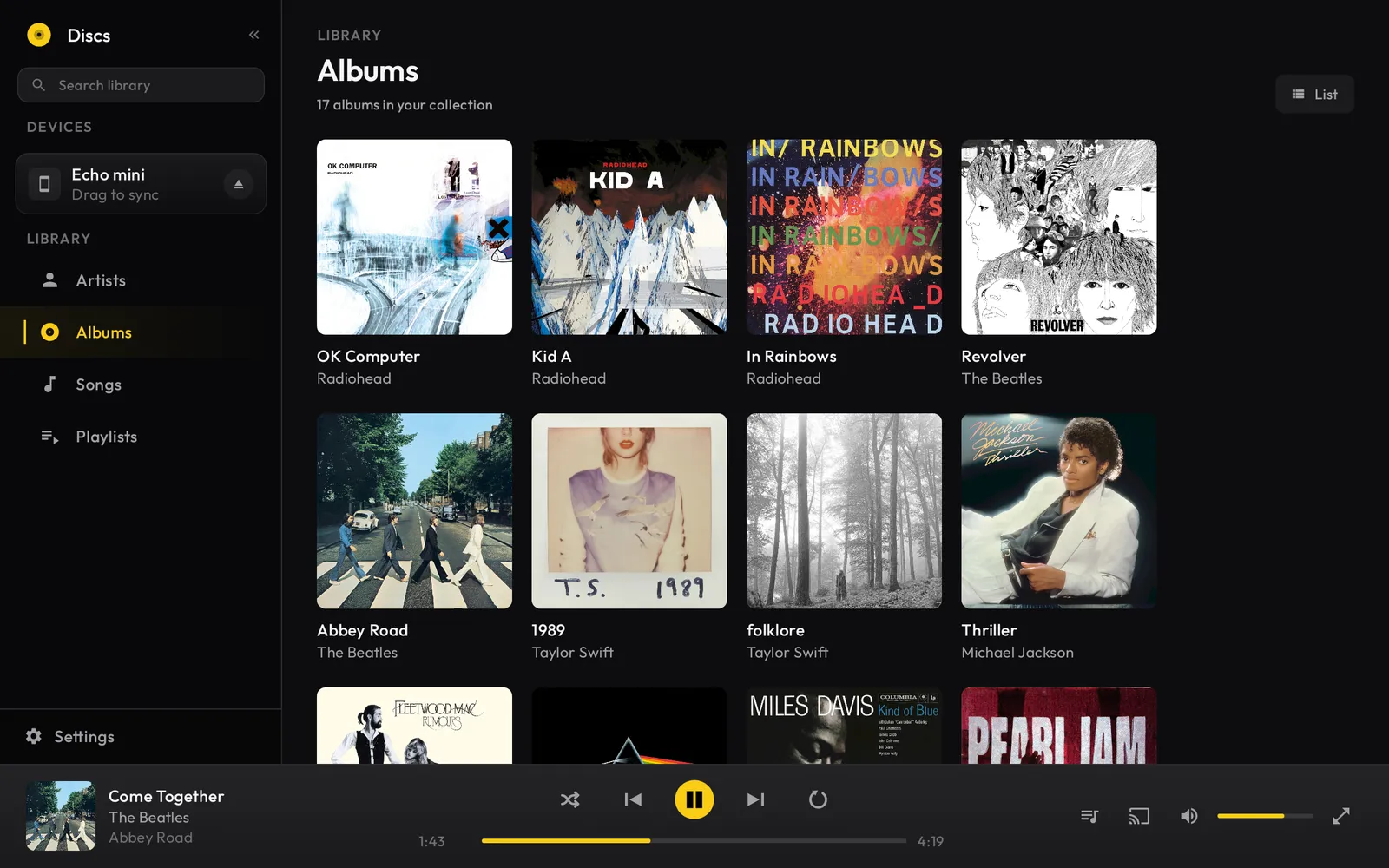
New in 1.5, you can copy music straight between your own Android devices over a USB cable. Connect a phone to a tablet, a Chromebook, or another phone, then drag an album or a whole artist from one to the other, or pull a device’s library into your own. It works in both directions, and the files move directly across the cable.
It reaches far more dedicated players now, too. With new MTP support, Discs can copy music to most modern DAPs and Android-based players, not just the ones that mount as a plain USB drive. Plug one in, then drag albums or artists onto it.
For a step-by-step walkthrough, see how to sync music from your tablet to your phone or how to sync music to a media player.
A faster way to browse
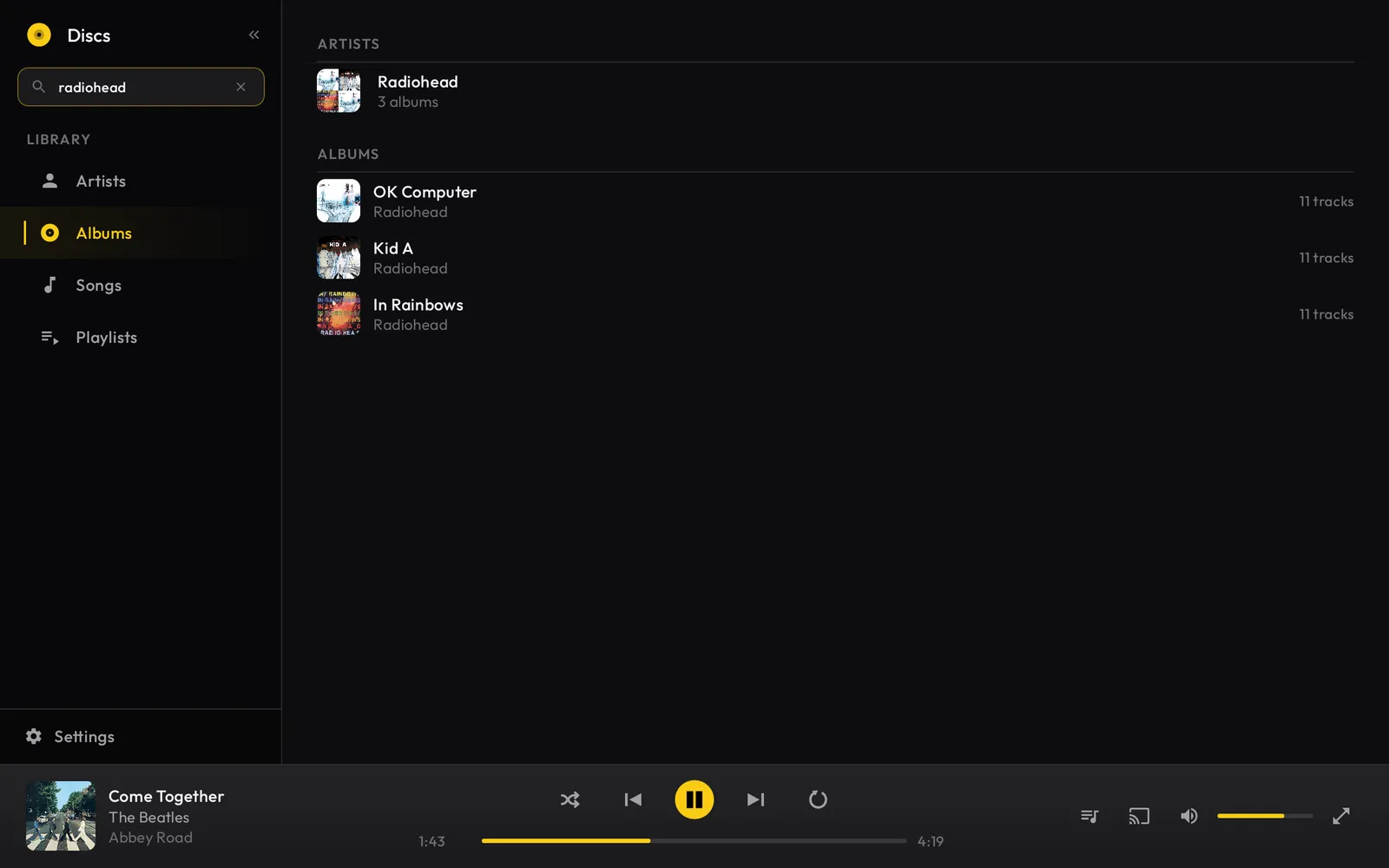
Discs 1.5 adds list views to your library, so you can switch from album art to a compact list when you have a lot to scroll through. In-library search is built in as well: start typing and Discs filters your artists, albums, and songs as you go.
Verify and repair refinements
Verify and repair, the feature that checks each rip against CTDB and fixes light read errors, got a round of refinements in 1.5 so it holds up across more discs and drives.